
LextEdit Features
Defined Short Cuts
- Hits: 5456
LextEdit is full of useful short cut keys to increase user productivity
LextEdit Short Cuts
Control + "O" to Open a file
Control + "S" to Save a file
"F8" to open the Connection Information Window
Control + Enter to execute the current context of the command window if connected to a system
"F6" to quickly save the results of the grid to a LextEdit Based File
"F5" to export the results of the grid to a Microsoft Excel Spreadsheet
Alt + "F4" to exit the application
Control + Shift + "U" to upper case the selected text, but not to upper case inside any defined strings
Control + "U" to lower case the selected text, but not to lower case inside any defined strings
Control + Alt + "F" format the current text in the editor window
Control + "H" to open a History Navigation Window
Control + "L" to open a Component Lookup Window
Control + "E" will open a explain plan on selected text from the editor window
Control + "T" will open a TraceProfiler
"F9" will automatically start a Moca server trace defaulted to the login name of that connection
Control + "F9" will start a Moca server trace, but prompt the user to input a trace profile name to create it as
Control +"P" will open the LextEdit Application Preferences window
Control + Alt + "Up"/"Down" Arrow will scroll through the active history items without having to open the history window
Component Lookup Short Cuts
Control + "D" will lookup the selected text as a command name
Control + Alt + "F" format the current text in the Component Lookup Window
Control + "F" will open the Find and Replace Window
Trace Profiler Short Cuts
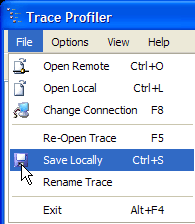
"F5" will reopen the current trace file name, if the file has already been opened
Control + "O" open a remote trace file from a Moca connection
Control + "L" open a locally saved trace file
"F8" to open the Connection Information Window to change the connected system
Control + "S" Save the currently loaded trace file as a local file
"F10" open a LextEdit Window
Control + "E" will open a blank Explain Plan window
Built in Explain Plan
- Hits: 7429
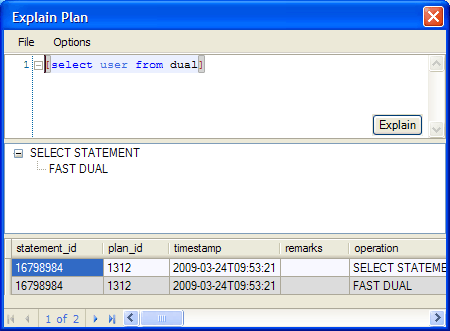
LextEdit also provides a simple Explain Plan tool to help analyze queries to optimize performance. The top area show the query, below that it shows joins in a tree style. Optionally you can show the grid below that displaying the data returned from the explain plan. A Moca connection is required for the explain plan to function.
"Execute with Local File..." using Local Data
- Hits: 8473
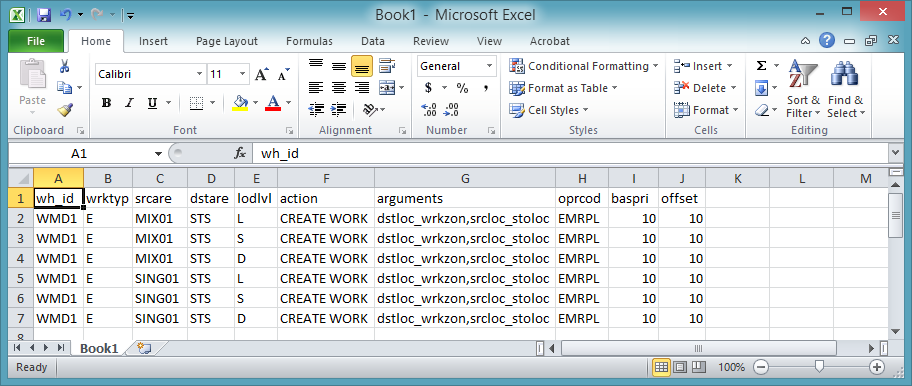
Here is an alternate way to load records with minimal Excel data manipulation – this example also leverages the “create area release rule policy” command:
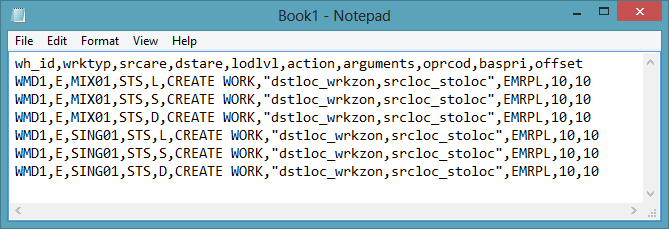
- Create and save a .csv file with required data including the field headers on your local machine.
Or
- Paste command that will be run using the file as input into the LextEdit editor.
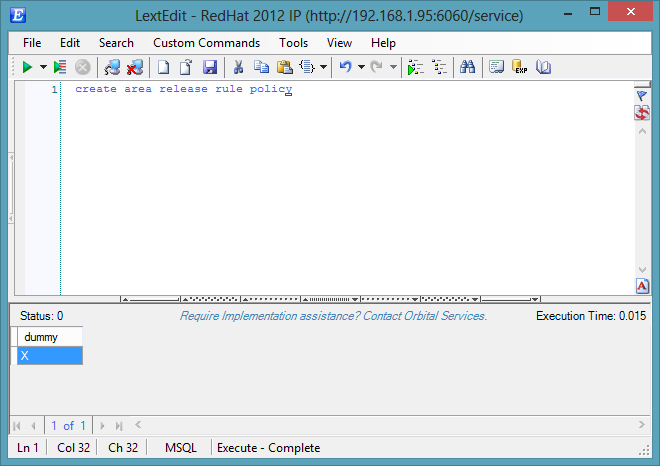
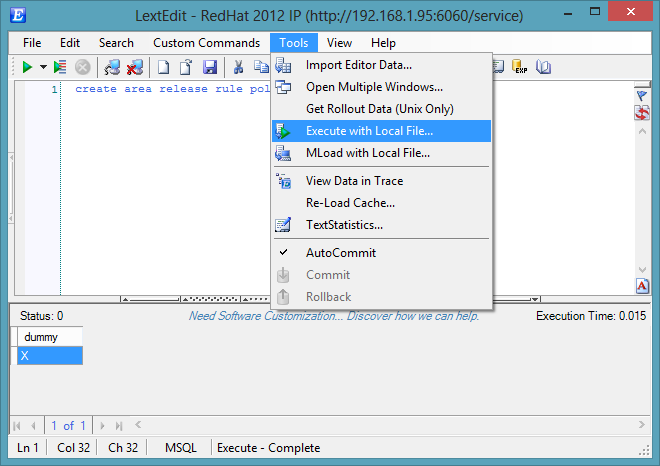
- Select ‘Tools’ then ‘Execute with Local File’
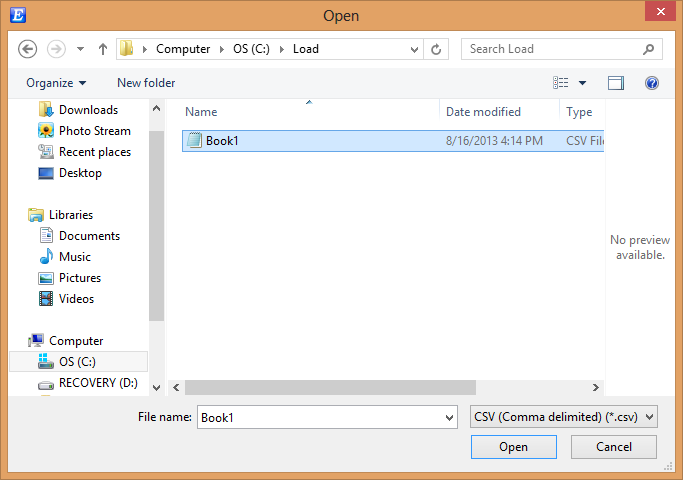
- Locate the .csv file on your local machine and select ‘Open’
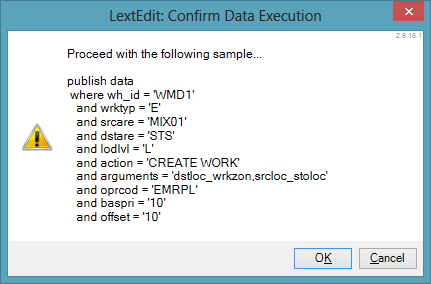
- LextEdit will provide a sample ‘Publish Data’ example for your validation prior to proceeding, if everything looks correct select ‘Ok’.
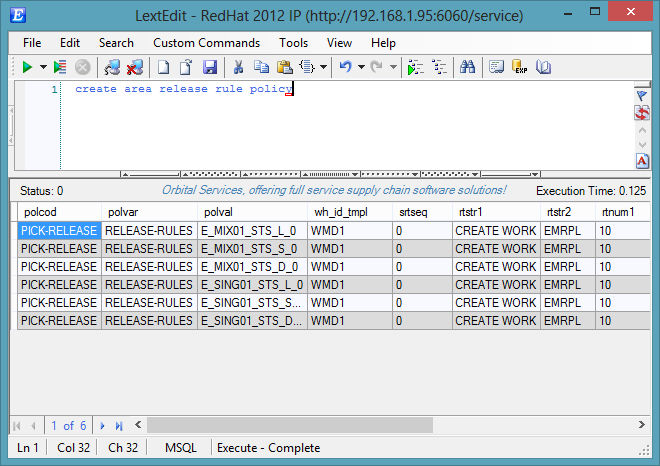
- LextEdit will execute the command on screen for all records in single execution.
Save and Load Trace Profiles Locally
- Hits: 4294
To help aid research, development, and trouble shooting LextEdit's Trace Profiler has the ability to save and load trace files to your local computer.
Import Editor Data
- Hits: 5887